

Why Upgrading to a Smart Thermostat Matters for Florida Homeowners
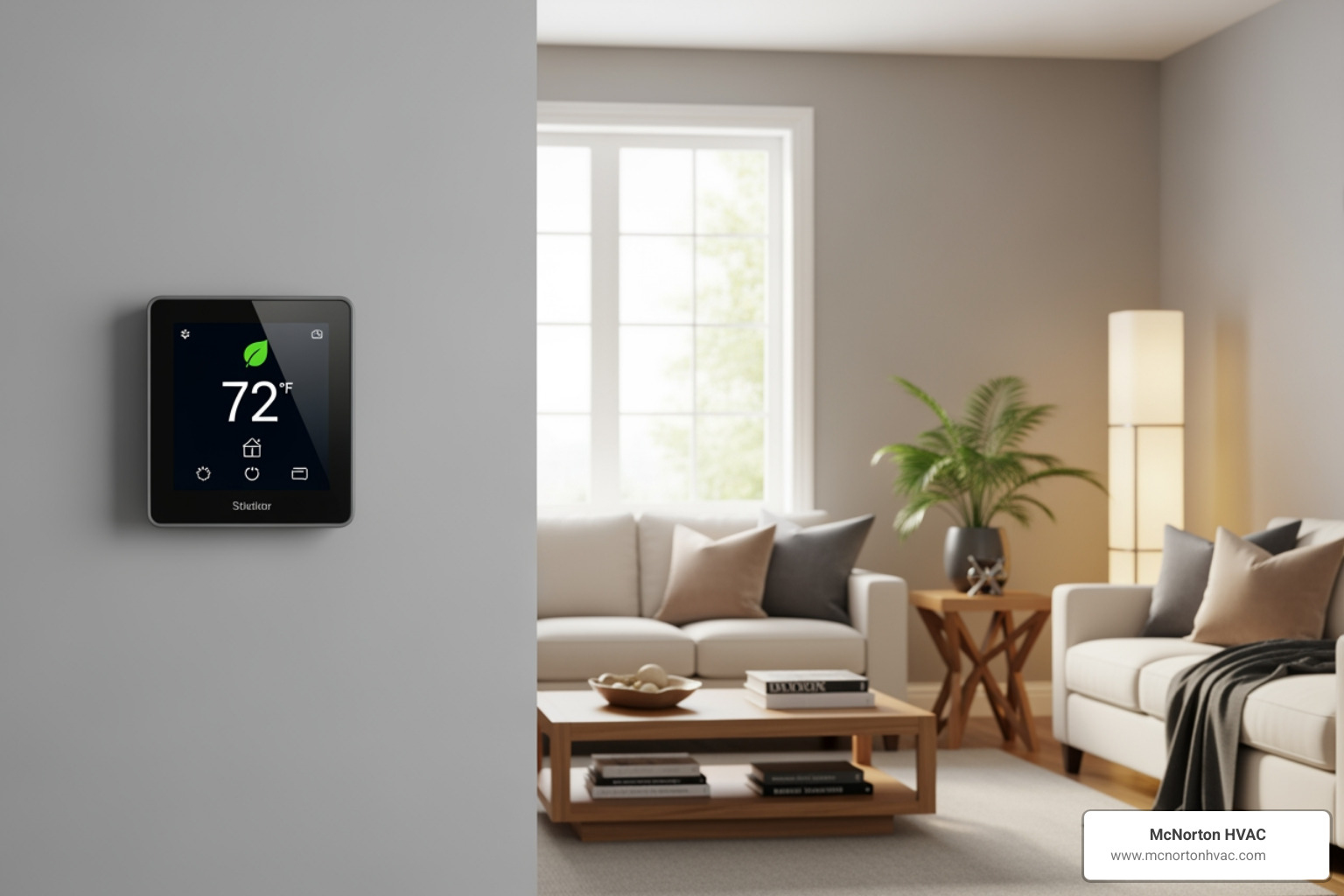
A smart thermostat install can save you up to 10% annually on heating and cooling costs and give you total control over your home’s comfort from anywhere. Here’s a quick overview:
Quick Answer: Can You Install a Smart Thermostat Yourself?
- Yes, with basic DIY skills and compatible wiring (a C-wire is crucial for power).
- Installation takes 30-60 minutes with basic tools like screwdrivers and a drill.
- Call a pro if you’re unsure about wiring, have a heat pump, or lack a C-wire.
- Total costs are $200-$800, including the device ($250-$500) and professional labor ($150-$300).
- Safety First: Always turn off power at the circuit breaker before starting.
In Florida’s climate, where AC runs constantly, a smart thermostat is a wise financial move. These Wi-Fi devices learn your schedule, adjust temperatures when you’re away, and offer energy usage insights. They provide a solution for busy households, remote vacation properties, or anyone tired of constant manual adjustments.
However, compatibility is key. Does your HVAC system have a C-wire? Is it a multi-stage heat pump? An incorrect installation can damage your HVAC control board, leaving you without heating or cooling.
I’m Derrick Rushnell, and I’ve guided countless Florida homeowners through HVAC upgrades, including smart thermostat installations. This guide will walk you through the process, helping you decide between a DIY project and professional installation.
Preparing for Your Smart Thermostat Upgrade
This section covers the essential planning steps, from identifying the need for an upgrade to choosing the right device and installation method.
Signs It’s Time to Replace Your Old Thermostat
Is your old thermostat failing? If you notice the following issues, it’s time to consider a smart thermostat install:
- Inaccurate Readings: The room feels hotter or colder than the thermostat’s setting, causing your system to run inefficiently.
- Unresponsive Controls: You experience delays or have to press buttons multiple times for the system to react.
- Frequent Program Resetting: Your programmable thermostat constantly loses its settings, defeating its purpose.
- Obsolete Model: Older thermostats lack the precision and smart features of modern devices, costing you money.
- High Energy Bills: An inefficient thermostat can be a major cause of unexpectedly high utility bills.
- Inconsistent Temperatures: Some rooms are too hot while others are too cold, indicating poor system management.
- Thermostat is 7-10+ Years Old: Thermostats over a decade old are less reliable and lack modern energy-saving features.
Key Benefits and Features of Smart Thermostats
Smart thermostats offer more than just temperature control. They are designed to make your life easier and your home more efficient.
- Energy Savings: According to the U.S. Department of Energy, proper use can save up to 10% annually on heating and cooling costs through intelligent, adaptive control.
- Remote Control via App: Adjust your home’s temperature from your phone, whether you’re heading home from work or managing a rental property from afar.
- Learning Algorithms: Some models learn your habits and automatically create an optimized schedule to maximize comfort and minimize energy waste.
- Geofencing: Uses your phone’s location to automatically adjust the temperature when you leave or return home, so you never cool an empty house.
- Detailed Energy Reports: Get insights into your energy usage to identify patterns and find more ways to save.
- Smart Home Integration: Connects with platforms like Alexa, Google Assistant, or Apple HomeKit for voice control and automation. “Hey Google, set the thermostat to 74 degrees” makes comfort effortless.
These features provide convenience, comfort, and cost savings, making a smart thermostat install a highly effective home upgrade.
Checking HVAC Compatibility, Costs, and Rebates
Before you buy, confirm compatibility and understand the costs.
HVAC System Compatibility
Most smart thermostats work with central HVAC systems, but check these factors:
- System Type: Conventional furnace/AC, heat pump, or boiler?
- Wiring: Do you have a C-wire (common wire) for continuous power?
- Multi-Stage Systems: Does your HVAC have multiple heating or cooling stages?
- Zoning: Do you have multiple thermostats controlling different zones?
Use the online compatibility checkers from manufacturers like Ecobee, Google Nest, and Honeywell before purchasing.
Device and Labor Costs
- Device Costs: Expect to pay $250 to $500 for a smart thermostat.
- Labor Costs: Professional installation typically costs $150 to $300, especially if a C-wire needs to be added. The total cost for a professional smart thermostat install ranges from $200 to $800.
Check for Local Rebates and Incentives
Many utility companies offer rebates for upgrading to energy-efficient thermostats. Check with your local provider in Pensacola, Pace, or Foley, or explore resources like the Online Marketplace to see if you qualify for discounts that can offset the initial cost.
DIY vs. Professional Smart Thermostat Install
Should you do it yourself or hire a pro? Consider the pros and cons.
DIY Installation: The Pros and Cons
- Pros: Save on labor costs, install on your own schedule.
- Cons: Risk of damaging your thermostat or HVAC system with incorrect wiring, missing compatibility issues, and having no warranty on your work.
Professional Installation: The Benefits
Hiring a professional from McNorton HVAC offers significant advantages:
- Expertise: Our licensed technicians understand complex wiring, multi-stage systems, and heat pump configurations.
- Guaranteed Compatibility: We ensure your new thermostat works perfectly with your HVAC system.
- Correct Wiring and Configuration: We guarantee correct installation and optimal configuration for maximum energy efficiency.
- Safety: We protect your valuable HVAC equipment from electrical damage. If you’re uncomfortable with wiring, call a pro to avoid damaging your system.
- Seamless Setup: We connect the thermostat to Wi-Fi and help you set up the app and smart home integrations.
- Warranty and Support: Our work is warrantied, giving you peace of mind.
- When to Call a Pro: If you see high-voltage wiring or feel unsure at any point, stop and call an expert. Our team at McNorton HVAC also specializes in Electrical Repair and can safely handle any challenges.
The Complete DIY Smart Thermostat Install Guide
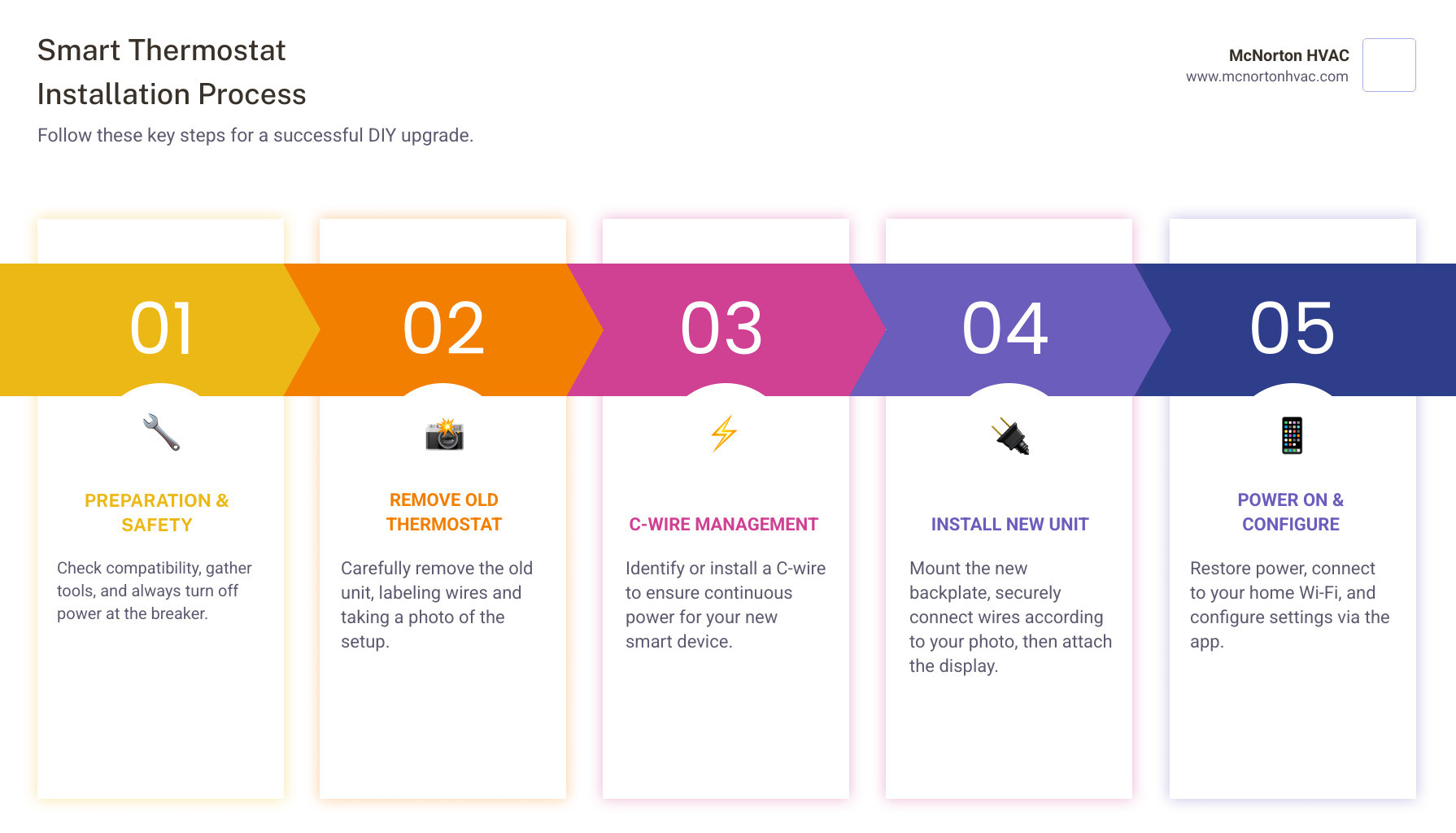
If you’ve decided on a DIY smart thermostat install, this step-by-step guide will help. Always prioritize safety and follow your model’s specific instructions.
Step 1: Gather Tools & Turn Off Power
Safety is the top priority. Do not skip this step.
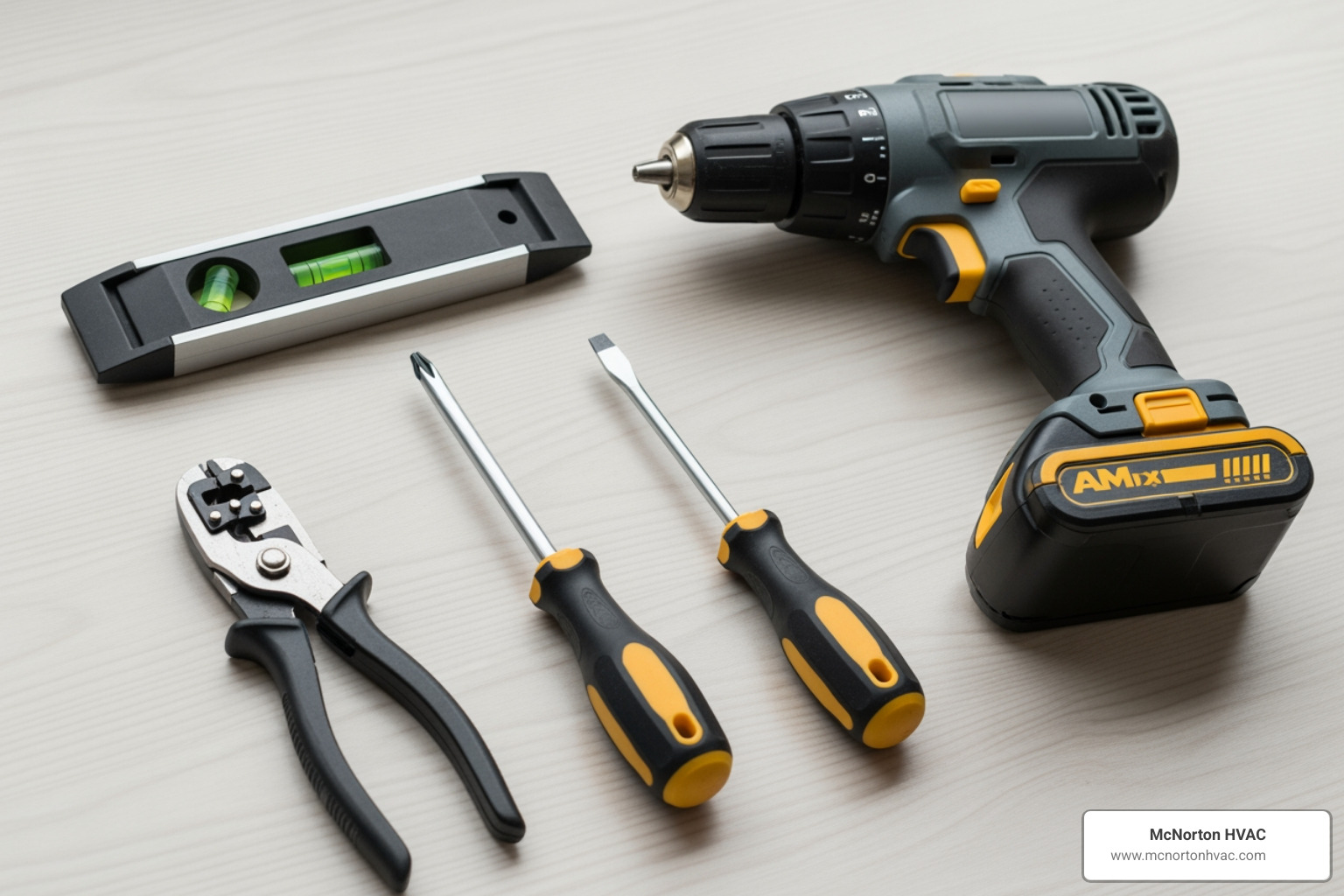
- Gather Your Tools: You’ll need screwdrivers (Phillips and flathead), a drill, wire strippers, pliers, a level, and a flashlight. Your new thermostat should include a backplate, trim plate, and drywall anchors.
- Turn Off Power: Go to your circuit breaker and flip the breaker for your HVAC system (often labeled “Furnace,” “AC,” or “HVAC”) to the “OFF” position.
- Verify Power is Off: Try to adjust your old thermostat. If the screen is blank and the system doesn’t respond, the power is off. Do not proceed until you are certain the power is off.
Step 2: Remove the Old Thermostat
Time to remove the old unit and prepare for the new one.
- Remove the Faceplate: Most old thermostat faceplates snap off or are held by small clips.
- Take a Photo of the Wiring: Before touching any wires, take a clear photo showing which wire color connects to which terminal letter (e.g., R, W, G). This photo is your roadmap.
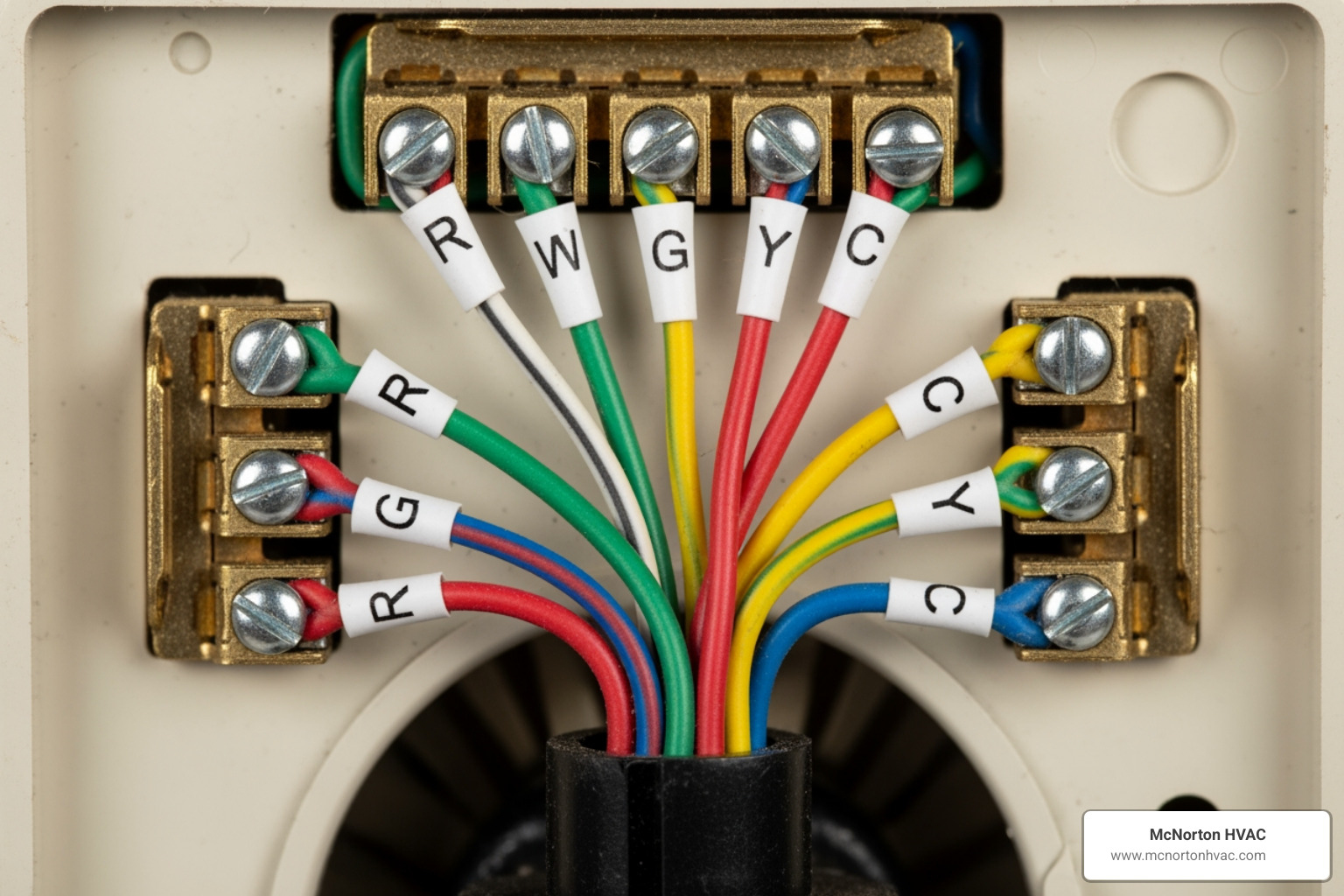
- Label Wires: Use the included adhesive labels to mark each wire according to its terminal letter. Do not rely on wire color alone.
- Disconnect Wires and Remove Backplate: Carefully disconnect the labeled wires. Then, unscrew the old backplate from the wall, making sure the wires don’t fall back into the wall cavity.
Step 3: Mount the New Thermostat
Now, let’s install your new smart thermostat.
- Position the Trim Plate (Optional): If your old thermostat left unpainted areas, use the optional trim plate to cover them.
- Mark and Drill Holes: Hold the new backplate against the wall, use a level to ensure it’s straight, and mark the screw locations. Drill pilot holes and insert drywall anchors if not mounting to a stud.
- Attach New Backplate: Feed the labeled wires through the opening in the new backplate and screw it securely to the wall.
Step 4: Wire the New Thermostat & Attach Faceplate
This is the final step of the physical installation.
Connect the Wires: Referring to your photo and labels, connect each wire to its corresponding terminal on the new backplate. Ensure each wire is fully inserted and secure.
Check Connections: Gently tug each wire to confirm it’s firmly in place. No exposed copper should be visible outside the terminal.
- Attach the Display: Align the new thermostat display with the backplate and push it on until it clicks securely into place.
Critical Wiring: The C-Wire and Special Systems
Certain systems require special wiring. This section covers the most critical considerations for a successful smart thermostat install.
Understanding the C-Wire for Your Smart Thermostat
The C-wire (common wire) is essential for most smart thermostats.
- What is a C-Wire? It provides a continuous 24-volt power supply to your thermostat.
- Why It’s Needed: Smart thermostats need constant power for their Wi-Fi, screens, and advanced features. Without a C-wire, they may lose connection, drain batteries, or cause your HVAC system to cycle erratically. For more details, see this C-wire information.
- How to Check for a C-Wire: Remove your old thermostat’s faceplate and look for a wire connected to the “C” terminal. You can also check for an unused wire tucked in the wall, which may be connected at your furnace’s control board.
How to Add a C-Wire if You Don’t Have One
If you don’t have a C-wire, you have a few options:
- Use an Unused Wire: If there’s an extra, unused wire in the bundle behind your thermostat, you can connect it to the “C” terminal on your HVAC control board and your new thermostat.
- Install a Power Adapter Kit: Manufacturers like Ecobee, Google, and Honeywell Home offer kits that use existing wires to create a power connection. Third-party “add-a-wire” adapters are also available.
- Professional Help is Recommended: If you’re uncomfortable working with your HVAC system’s wiring, call a professional. Incorrect wiring can damage your system. Our team at McNorton HVAC is experienced in safely adding C-wires.
Special Considerations for Heat Pump Systems
Heat pumps are common in Florida and Alabama and have unique wiring needs for a smart thermostat install.
- Multi-Stage Compatibility: Ensure your smart thermostat can manage a heat pump’s multiple heating and cooling stages for optimal efficiency.
- Auxiliary Heat Control: The thermostat must intelligently control the auxiliary (or emergency) heat to prevent it from running unnecessarily, which is very expensive.
- Proper Configuration is Key: Settings for a heat pump are more complex than for a conventional system. Incorrect configuration can reduce efficiency and strain your system.
- Professional Setup Advised: Due to these complexities, we recommend professional installation for homes with heat pumps. Our technicians will ensure your thermostat is wired and configured correctly to maximize efficiency and protect your investment.
Final Setup and Troubleshooting
With the physical installation done, the final steps are software setup and troubleshooting.
Power On and Connect to Your App
Let’s bring your smart thermostat to life.
- Turn Power Back On: Flip the HVAC breaker back to the “ON” position. Your new thermostat should power up.
- Follow Setup Instructions: The thermostat screen will guide you through the initial setup. Download the companion app (e.g., Google Home for Nest, Ecobee app) from Google Play or the Apple App Store.
- Connect to Wi-Fi: Use the app to connect the thermostat to your home’s Wi-Fi network. You’ll need your network name and password.
- Set Schedules and Preferences: Customize your temperature schedules and enable energy-saving features like geofencing.
- Perform a System Test: Most apps include a test to verify that your heating, cooling, and fan are working correctly.
Common Troubleshooting Steps
If something isn’t working, try these common fixes:
- Thermostat Won’t Turn On:
- Check that the HVAC breaker is on.
- Verify the C-wire is securely connected at both ends.
- Ensure the thermostat display is clicked firmly onto its backplate.
- HVAC System Not Responding (No Heat/Cool):
- Double-check all wire connections against your photo.
- Confirm the thermostat is configured for your HVAC type (conventional vs. heat pump) in the app.
- Check for a safety cut-off switch near your furnace or air handler and ensure it’s on.
- Wi-Fi Connection Issues:
- Ensure the thermostat is within range of your router.
- Double-check your Wi-Fi password.
- Try rebooting your router and thermostat.
- When to Call for Help: If these steps don’t work, it’s time to call a professional. Incorrect wiring can cause system issues. Our technicians at McNorton HVAC are ready for any AC Repair, Heating Repair, or Emergency HVAC Repairs you may need.
Integrating with Your Smart Home
Open up the full potential of your smart thermostat.
- Connect to Voice Assistants: Link your thermostat to Amazon Alexa, Google Assistant, or Apple HomeKit for easy voice control.
- Create Automated Routines: Use your smart home app to create routines, like adjusting the temperature when you say “Good morning.”
- Explore Indoor Air Quality (IAQ) Integrations: Some thermostats can integrate with IAQ monitors to manage ventilation, helping to improve your home’s Indoor Air Quality, another service we offer at McNorton HVAC.
Frequently Asked Questions about Smart Thermostat Installation
How long does a smart thermostat install take?
A typical DIY installation takes 30-60 minutes, assuming you have compatible wiring and encounter no issues. A professional can usually complete the job, including setup and testing, within an hour.
Can a smart thermostat damage my HVAC system if installed incorrectly?
Yes. Incorrect wiring can damage your thermostat or your HVAC system’s control board, which can be expensive to replace. This is a primary reason to consider professional installation if you are unsure about the wiring.
Are there rebates available for installing a smart thermostat?
Yes, many utility companies offer rebates for upgrading to an energy-efficient smart thermostat. We recommend checking with your local provider in Florida and Alabama or exploring resources like the Online Marketplace to find available incentives that can make your upgrade more affordable.
Enjoy Smarter Comfort with Professional Installation
Upgrading to a smart thermostat is an effective way to improve comfort, add convenience, and reduce energy costs. While a DIY installation is possible for those with the right skills and wiring, it carries the risk of damaging your HVAC system, which can lead to costly repairs.
For peace of mind and to ensure your system operates safely and efficiently, professional installation is the best choice. The certified technicians at McNorton HVAC have over 65 years of combined experience. We manage the entire process, from verifying compatibility and wiring to configuring your new thermostat for optimal performance.
We are available 24/7 and are licensed to serve our neighbors across Pensacola, Gulf Breeze, Milton, and our other service areas in Florida and Alabama. To guarantee a safe and effective Smart Thermostat Installation, contact our certified technicians today and open up the full potential of smarter home comfort!
Latest Articles
Beat the Heat (and the Waitlist): Why Smart Homeowners Book this Spring
Decoding Your Air Handler Control Board: What It Is and Where It Hides